Showing posts with label googletalk. Show all posts

Friday, July 22, 2011

AT&T Now Has Google Nexus S


Nexus S At AT&T http://snapvoip.blogspot.com/
When Google brought out Nexus S together with Samsung, customers from T-Mobile and Sprint have enjoyed the Android experience and the vast resources associated with Android, like hundreds of thousands of Apps for every and each need.
The Google Nexus S has also enjoyed the latest iteration of Android OS since it's inception.
Today, Google announced that this great smartphone, will arrive on AT&T frequencies. And if you fance, you can place a pre-order at Bestbuy, or you can actually pick up one on July 24th.
Nexus S is now optimized for AT&T network and sports 1GHz Cortex A8 processor, 16GB iNAND flash memory, Android OS 2.3, supported by 4" super AMOLED screen dual cameras. And by being in the forefront of the technology, the phone supports NFC, making the users life much easier with technologies that use NFC, like paying for your purchases by waving your phone.
It comes with Google Mobile apps, like Google maps with navigation, Googletalk with video chat, Google Voice and more than 250000 apps in the Android Market.
For more information follow the link below and of course at the Google Nexus site and it's twitter account, @googlenexus
Nexus S Comes to AT&T - Official Google Mobile Blog


Friday, March 11, 2011

Google Click-to-call Comes To GMail!

Google Click-To-Call is going places. Even though unknown to many, Google Click to call has existed for a long time, like with Googletalk in 2005!. But recently with Google Voice and other innovation from other teams, bringing the much desired feature to many Google Service. Few days ago we say mobile search enable click to call numbers for emergency services. Before that Google Local Ads had the same feature for advertisers. Users could call business with a single click.
Now the service has come to Google GMail! When some one sends you a number to call, GMail will linkify the number.
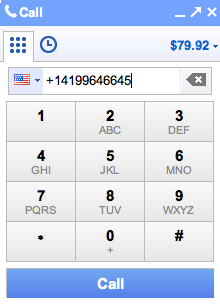
When you click on the number the GMail dialpad will popup
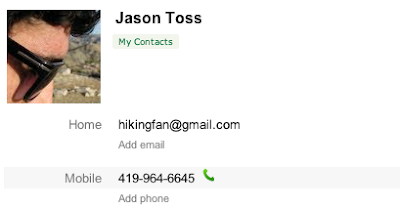
All your contacts will have a phone icon next to their phone numbers. It is very convenient for me as all my contacts are in GMail!
Click to call phone numbers - Official Gmail Blog

Friday, November 20, 2009

Google Chrome OS and VoIP Apps

Google Chrome OS and VoIP Apps snapvoip.blogspot.com
After the news of Google Chrome OS (Chromium OS Open Source Project) yesterday, quite a few people have tested it on VMware and other methods. I am waiting for this weekend to do a full copiling from the source and the test the bugger. But being VoIP related, I looked for VoIP support for within the OS. Of course there were many others who had the same idea.
I settled for the article written by Tom Keating of TMC in his VoIP & Gadgets blog. He has tested Flaphone, a flash based web application, basically a SIP endpoint. He confirms that it works well. He also got news that TringMe works on the new OS (It already works on GoogleTalk). I guess there are many others and any Linux based VoIP apps should run without much trouble. Perhaps need to compile anew. But until then, we know at least there are two VoIP Apps that works.
VoIP & Gadgets blog

Wednesday, November 11, 2009

Gizmoogle, Google Gets Gizmo5 / SIPphone For 30 Million

Gizmoogle snapvoip.blogspot.com
Gizmo5 has been disruptive from it's beginning and supplying SIP based communications to the masses. It was also assumed source of replacement for the Skype had the IP Litigation between Ebay and Joltid turned sour. But Ebay and Founders of Skype settled, leaving Gizmo5 in a seemingly unpopular place. Gizmo5's SIP infrastructure was basically could have replaced the Skype's backbone if needed to be.
But the assumptions of the many turned out to be unfounded as there seem to be an agreement (unofficial) between Google and Gizmo5 / SIPphone. Google will take Gizmo5 in to it's folds for $30 million cash deal.

The deal will provide Google with solutions to a number of products in the IP Telephony arena. It will bring together Googletalk (or gooletalk as it was mistakenly got embedded here) and Google voice together. It will provide PSTN gateway for Googletalk and it's millions of the users but Google Voice stand to gain the most.
The much talked about iPhone Google talk saga will find a backdoor solution, until there is a solution for real Google Voice Client for iPhone, rather than the Google Voice Webapp. Gizmo5's SIP capability and SIP clients on iPhone might be a short cut to get iPhones on Google Voice. Something that Apple cannot block.
Millions of Asterisk users will have capability of using Google Voice as AstGizmo like services already interface Asterisk to Gizmo5.
Google Voice will also receive the means of getting out confinements of US and enter the international arena when the the time is ripe. I am sure Google got it's money's worth!
Via TechCrunch

Thursday, September 03, 2009

Create Talk Bots With XMPP Support On Google App Engine

Google App Engine where developers develop and launch web applications, on non other than Google's own infrastructure.

There are many apps that depends and developed using the Google App Engine. Google itself released apps like, translation bot that I constantly use on the Google talk (We wrote about the Translating chat bot a while back). I always wanted to have bot like that to help me and others but developing such a bot was not an easy task.
But now the tables have turned. Today Google App Engine team announced the release of an API that makes it very simple to build Talk bots on top of App Engine. I am looking forward to the clash of the bots!

Google App Engine SDK1.2.5 has more than just XMPP support, among usual bug fixes, tweaks, and API improvements, it now includes a Windows-based version of a useful tool, The Google App Engine Launcher!
The release notes have more information as well.

The whole technical features and more info is available from this fantastic article on Google App Engine Blog;
App Engine SDK 1.2.5 released for Python and Java, now with XMPP support

Sunday, August 09, 2009

FreeSwitch 1.0.4 Available For Immediate Download


FreeSwitch 1.0.4
I have been playing around with FreeSWITCH for a long while but recently I gave up playing and implemented the system for a small research team, that other open source VoIP Systems could not easily serve. As well as for the research team that is spread over a few countries and time zones and me personally the mod_skypiax gave the final push to put the system into production. We actually started working with the sources for this project much earlier.

The team at freeswitch.org has officially released the FreeSwitch 1.0.4. With this release FreeSWITCH brings many improvements in stability and security and some additions like the mod_skypiax.
Here are some of the functions and additions that I found interesting;

mod_opal
OPAL is one of my favorite projects and have been a follower for a while. Now FreeSWITCH works together with Project Opal to create mod_opal, which adds H.323 functionality to FreeSWITCH as well as IAX2 support.

mod_skypiax
My favorite, mod_skypiax brings capability to send and receive Skype calls from FreeSWITCH to Skype network. The Skype module (mod_skypiax) uses the native Skype client for the target operating system. Currently, Windows and Linux are supported. FreeSWITCH's ability to transcode and resample other high quality codecs allows for high quality Skype calls coming over SILK codec to connect to SIP endpoints, be they free SIP clients or Commercial SIP Phones.
This capability will certainly promote the capability FreeSWITCH's capability as a telephony switch.

ZRTP SRTP
ZRTP will allow to encrypt calls between endpoints or systems. The ZRTP uses SRTP to accomplish the purpose and is co developed with Philip Zimmermann of PGP fame, which I have been using for ages. I have not tested this feature yet but looking forward to do so soon.

mod_unimrcp
MRCP, or Media Resource Control Protocol, is provided with this module. This module utilizes the well-written UniMRCP library, authored by Arsen Chaloyen. The module is compliant with MRCP version 2 (SIP). MRCP allows for media servers to be separated from FreeSWITCH. Good module for tasks such as IVR or Text to Speech etc.

NAT Traversal Made Easy
NAT-traversal is important for SIP calls and is made easier with the automatic NAT handling feature included with the FreeSWITCH. Routers, switches and firewalls that support either UPnP or NAT-PMP can be polled by devices inside the network, allowing them to determine the external IP address. You can give up fighting with STUN now!
mod_nibblebill
FreeSWITCH now supports real-time pre-paid billing applications with mod_nibblebill. The name of the module is telling: it monitors calls in progress and "nibbles" away at the available credit of a pre-paid user's account.
In addition to above, the FreeSWITCH has following features;

  • Runs on Win32/MAC/UNIX
  • IVR Application API
  • 8kHz/16kHz/32kHz/48kHz Audio
  • Soft Conferencing
  • SIP B2UA/SRTP/TLS
  • SIP BLF/SLA/PBX Features
  • Presence
  • GoogleTalk
  • IPv4/IPv6
  • ENUM/ISN
  • Async Audio
  • Event/Logger Engine
  • Real Time
  • zRTP (libzrtp)
Free yourself with FreeSWITCH

Saturday, September 27, 2008

Google Talk Help Forum, Googley, And More For Google Talk Users

Googletalk (Known better as Gooletalk since a typo some time back)has received place within the Google Help, for helping one another, in the Google help forum. This is in addition to Google Talk Help Center and Known Issues. (I also found the default Google Avatar, Googley to be fun!)

You will receive answers to your questions from other forum members and Google employees as well. (See the capture bellow for all kinds, and the best answer marked!) When people answer, the best ones could be marked as, of course, best answer! so it will be helpful for those who are seeking solutions to similar problems or questions in the future. It might be also helpful for those new comers to Google Talk from the new Google Phone, HTC Dream also known as T-Mobile G1 which carry support for Google Talk.
Google Talkabout: New Google Talk Help Forum

Tuesday, June 24, 2008

Configure iChat for Google Talk To Talk To Your Google Buddies.

If you have got an Google Account and you may know that you can use Google talk for communicating with your pals, buddies and anyone who happened to have a Googletalk acount. iChat from Apple has been in use for ages and most Apple users have it on their desktop. But did you know that you could use iChat to communicate over Google Talk (or Gooletalk as known here!).

To set up your iChat to communicate over GoogleTalk;
1. Open iChat.
2. From the iChat menu, select Preferences...
3. Click Accounts along the top of the dialogue box.
4. Click the + button along the bottom to add a new account.
5. Select Jabber Account from the Account Type drop-down menu.
6. Enter the following information in the appropriate fields:

* Jabber ID:

  1. * If you're signing in with a Gmail or Google Mail username, enter your full email address.
  2. * If your Google Talk username isn't associated with any Google email product, add @gmail.com to the end of your username. For example, iloveyoko will become iloveyoko@gmail.com. (it is better to get a Google user account as you could use it for other services from Google)
  3. * If you're a Google Apps user, enter your full email address (gordon@example.com).

* Password: Your password.
* Server: talk.google.com
7. Click Add.
8. Highlight your new account in the Accounts section, and then click Server Settings.
9. Enter the following information in the appropriate fields:

  • * Server: talk.google.com
  • * Port: 5223
10. Check the boxes next to Connect using SSL and Allow self-signed certificates. You don't need to check the box next to Warn before password is sent insecurely -- your password is always secure with Google Talk.
11. Enter iChat in the Location field. If this field is left blank, you won't be able to sign in.

Congratulations! Now you're now ready to connect to Google Talk using iChat and connect with your friends.
Ref Google talk help.

Thursday, December 27, 2007

Sharing Google Reader Items Via GoogleTalk, Right Way

If you got surprised by the new Google Reader and GoogleTalk sharing feature, a post on Google Reader may help you to get things right.
Google is looking at ways to make sharing more flexible, and in the meantime there are several ways to share items without letting all of your Google Talk friends see them (you can also add or remove friends via Gmail or Google Talk).
I do not see the big deal. You are sharing, reading publicly available feeds. I see a problem in that I don't want to bombast my friends with my silly/serious feeds!

Official Google Reader Blog: Managing your shared items
Tags: , ,

Friday, August 03, 2007

Google Phone coming soon!


It Is Finally Here!


Click on the image to goto first digg

Latest Update with Video and links; No gPhone Dudes

UPDATE: VOIP IP Telephony: Google Phone Photo Follow up


Photo/Picture only for DIGG nation! courtesy of T3

Best Digg comment so far; 1257 diggs and counting~ (Got Dugg again)

"I can see it now, Google will open stores for this phone and call it "the Gspot". The ladies will love it, but the guys won't be able to find it."

Updates, More news Links below;


NEW YORK (Reuters) - Google Inc has invested hundreds of millions of dollars in its cell phone project and is courting U.S. and European mobile operators, The Wall Street Journal reported on Thursday.

Anian, a Reuters company that tracks industry trends for institutional investors, reported last month that Google had engaged Taiwan's High Tech Computer Corp to design a Linux software-based phone for launch in the first quarter of 2008.

The Anian report cited industry sources as saying T-Mobile, owned by Deutsche Telekom , would likely be Google's U.S. partner with France Telecom's Orange selling the phones in other markets.

The Journal said on Thursday Google had also approached the two biggest U.S. wireless services, AT&T Inc and Verizon Wireless, in recent months to ask them to sell phones with Google service.

It cited a Verizon Wireless executive saying the company had decided not to integrate Google's Web search tightly into its phones because of Google's advertising revenue-sharing demands. The newspaper said the executive had not commented on a Google phone.

Read more at the source..

Gphone: Google's Latest Play for Global Domination?

Google pumps big money into GPhone

Step Aside iPhone and Outlook, it’s Google Phone

Wednesday, July 04, 2007

Grand Central is Google Central now!

Grand Central, which I am have my comfort number subscription on, has been aquired by Google. May be it will be Google Central, mmm naagh. It is just to small and the amount paid is too to be called Google Central.
I think it will be a part of GMAIL and Googletalk (I typed once, gooletalk and I continue to have hits based on that!) it suites the purpose well. According to the Google Blog article (the link below) ,
While Google is moving their technology over to Google's network, a limited number of invitations will be available to register for a GrandCentral beta account. If you have a U.S. telephone number, you can sign up for an invitation at www.grandcentral.com. Current GrandCentral customers will continue to have uninterrupted access to the service. Wow, lucky me! oh US.
Official Google Blog: All aboard

Wednesday, June 27, 2007

Googletalk goes beyond simple chat with GroupChat


Google Talkabout weblog announced a new feature for the Google Talk Gadget: group chat. Now, for instance, when the two of you are chatting about an upcoming event, and want to include a third person, you can just invite him to join our chat.
According to a blog post; Google Talkabout: Group Chat for the Google Talk Gadget
this is how you do it; start a chat with one of your friends. Click on the button at the top of the chat window that says "Group Chat," and then pick the name of the third (or fourth, or fifth...) friend you want to invite from the drop-down menu. They'll receive an invitation to join the group chat. If your friends are using Gmail chat or the downloadable Google Talk client, their invitation will launch the Google Talk Gadget.

In addition to Group Chat there are multiple new features that were added to the Googletalk, like new imoticons, Blackberry client etc. Visit the site to find out more.

Blog Widget by LinkWithin